

描述
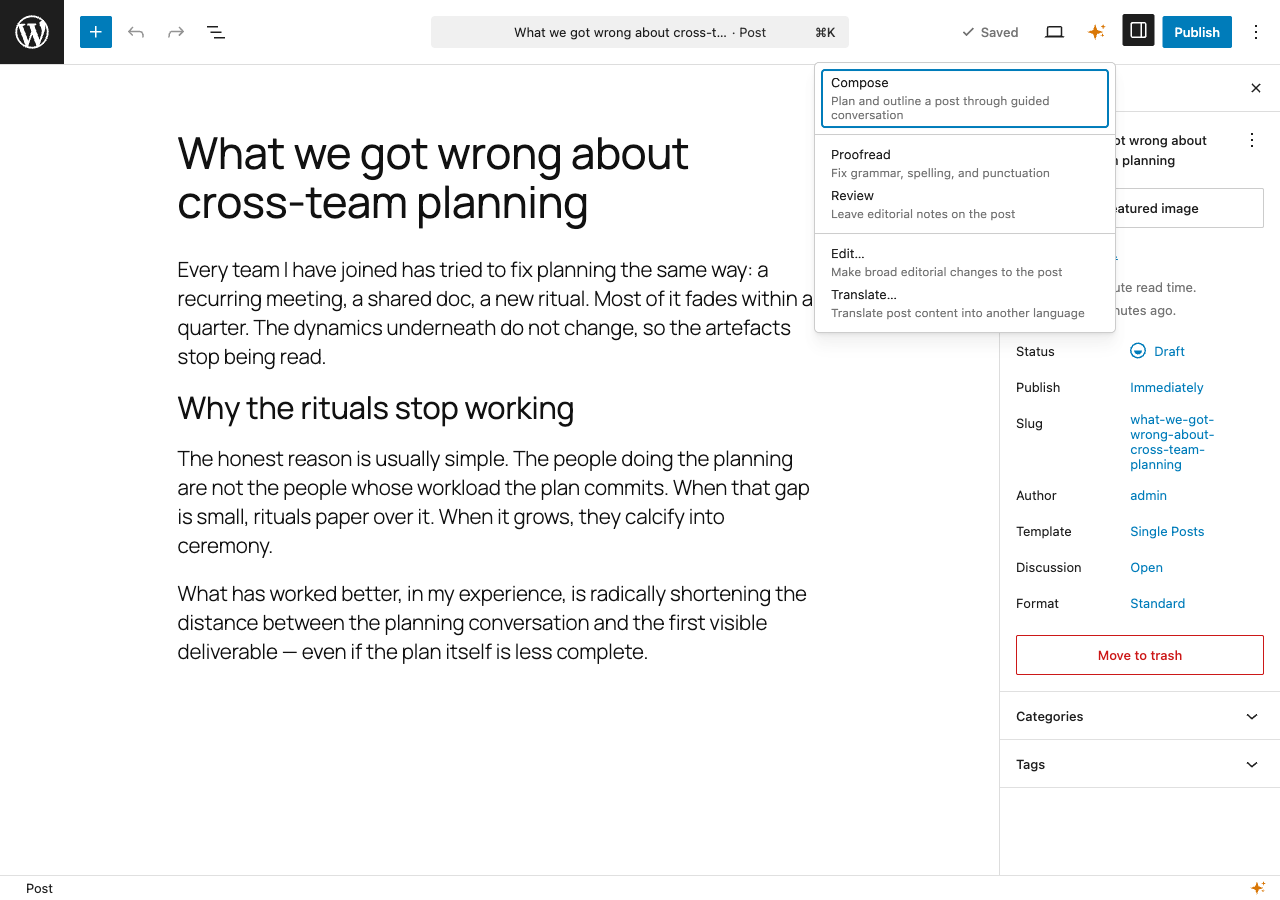
Claudaborative Editing adds controls to the WordPress block editor that let you trigger AI-powered actions, including proofreading, reviewing, translating, and more, directly from within WordPress.
It can be run for free with the Claudaborative Editing MCP server, which can be installed in your local copy of Claude Code.
For a complete seamless experience, we recommend a Claudaborative Cloud subscription, which does all of the hard work for you.
This plugin has no official affiliation with Anthropic or Claude.
Development
The source code is available on GitHub:
Claudaborative Editing on GitHub
Source files are in the wordpress-plugin/ directory. See the repository README.md for build instructions.
螢幕截圖
常見問題
Does this work without Claude Code?
The free version requires Claude Code. The plugin provides the browser-side UI, but all AI processing happens through a Claude Code session running the Claudaborative Editing MCP server.
If you don’t want to use Claude Code, then a Claudaborative Cloud subscription is the way to go.
What version of WordPress is required?
WordPress 7.0 or later for a standalone block editor experience, or WordPress 6.9 and Gutenberg 22.8+ if you’re using the Gutenberg plugin. Collaborative editing must be enabled in Writing settings.
How do I set up the MCP server?
- Install Claude Code if you haven’t already.
Run the following command in your terminal:
npx claudaborative-editing start
This will configure and launch Claude Code with the Claudaborative Editing MCP server. The setup wizard will open your browser to authorize with your WordPress site on the first run.
Alternatively, you can set up the credentials separately:
npx claudaborative-editing setupThen start Claude Code with channels enabled:
claude --dangerously-load-development-channels server:wpce --permission-mode acceptEdits

貢獻者及開發者

修改日誌
0.5.2
- Added Claudaborative Cloud as a connection option, with onboarding help shown when disconnected.
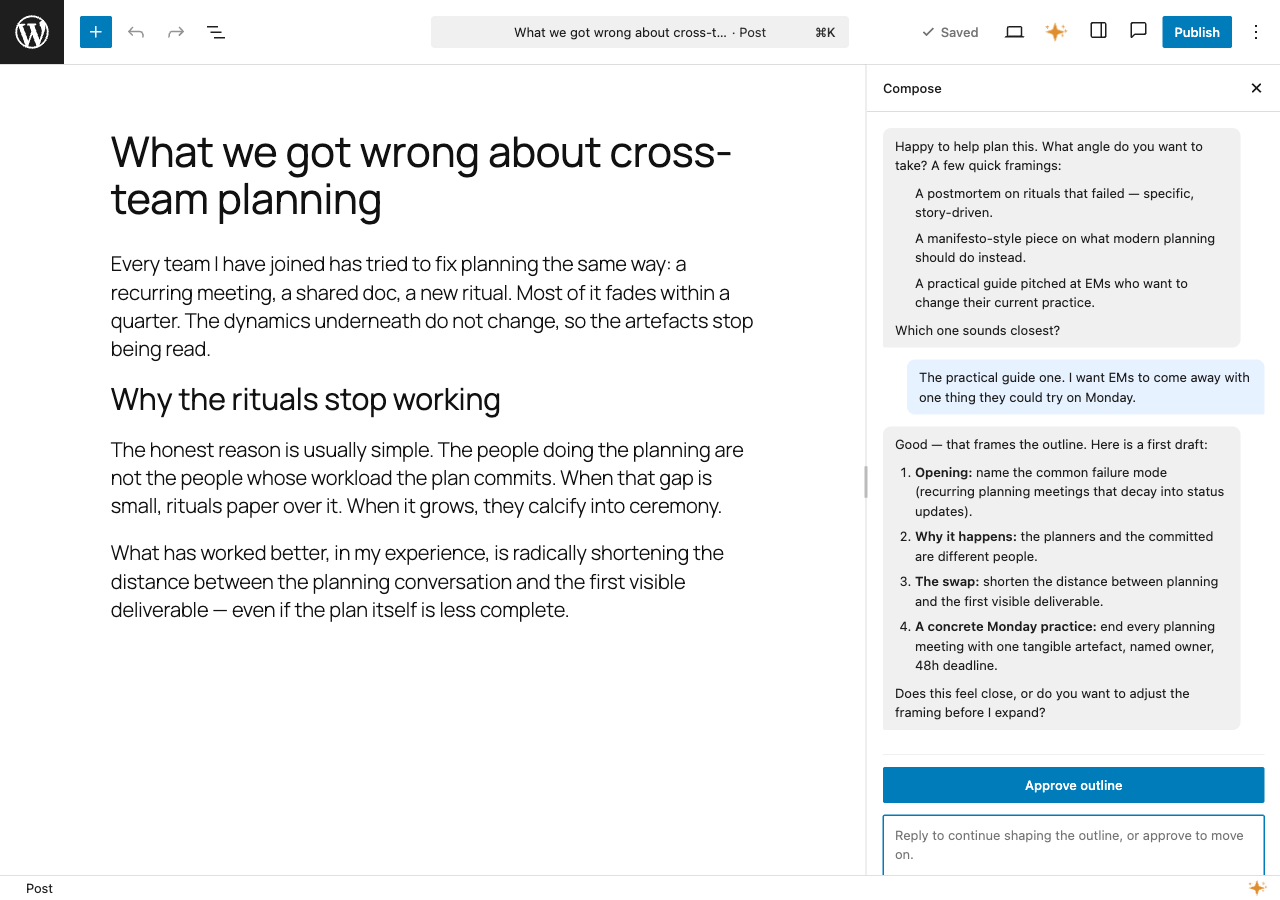
- Added a resizable Compose sidebar so the conversation panel can be widened for longer drafts.
- Made prompts language-aware so translations and editorial actions respect the post’s language.
- Discover the WordPress REST API URL from the site instead of assuming
/wp-json, for compatibility with custom REST prefixes. - Fixed commands being clobbered when multiple ran concurrently by storing each under its own key.
0.4.1
- Added missing autoload handling.
0.4.0
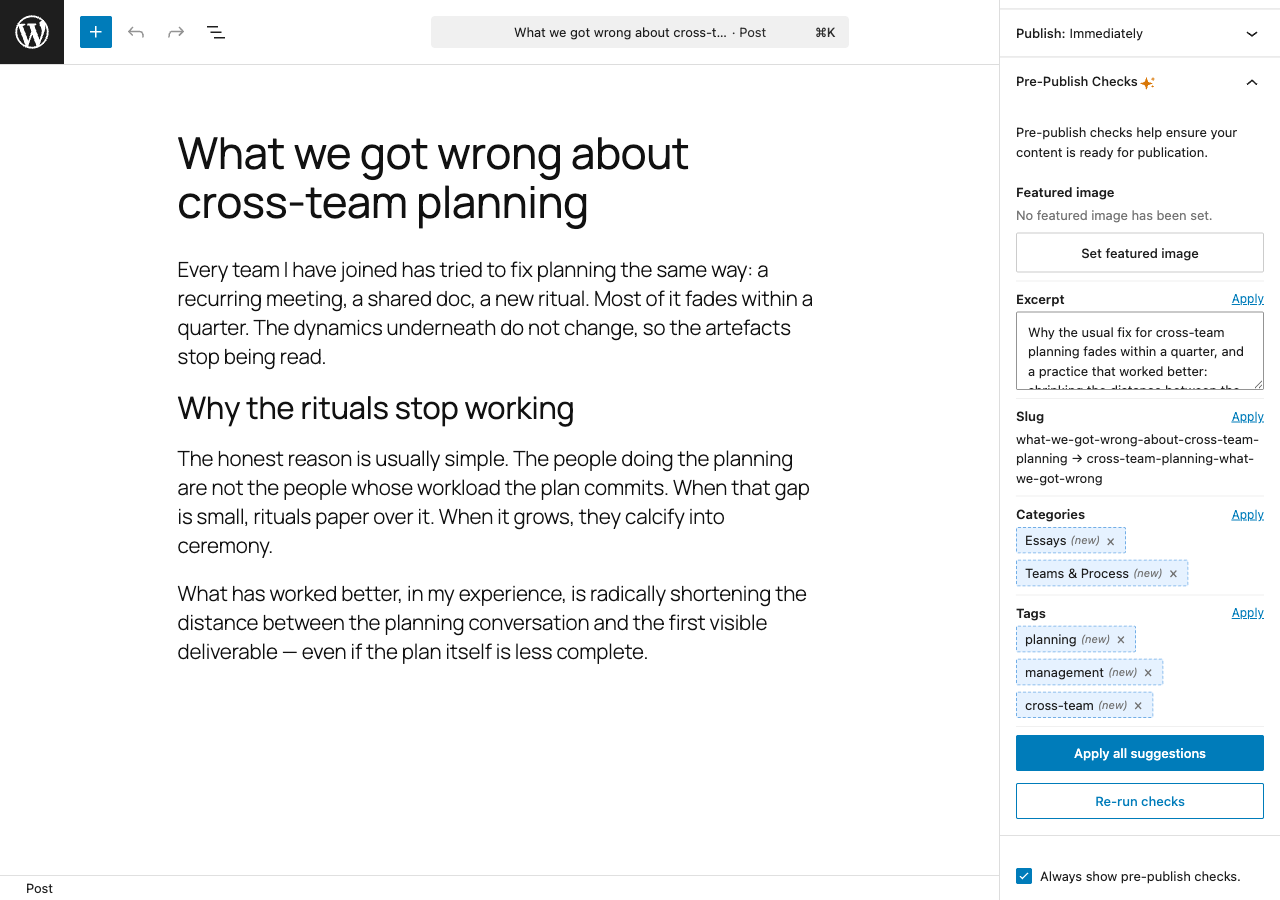
- Added pre-publish checks panel with AI-powered metadata suggestions (excerpt, categories, tags, slug).
- Added compose tool for interactive post planning and outlining with two-way conversation support.
- Simplified installer to Claude Code only, added
npx claudaborative-editing startcommand. - Pre-open posts and auto-claim commands on editor load for faster response times.
- Server-side MCP connection detection reduces sync handshake from ~10-15s to ~2-3s.
0.3.1
- Toolbar dropdown with Proofread and Review actions.
- Connection status indicator in the editor footer bar.
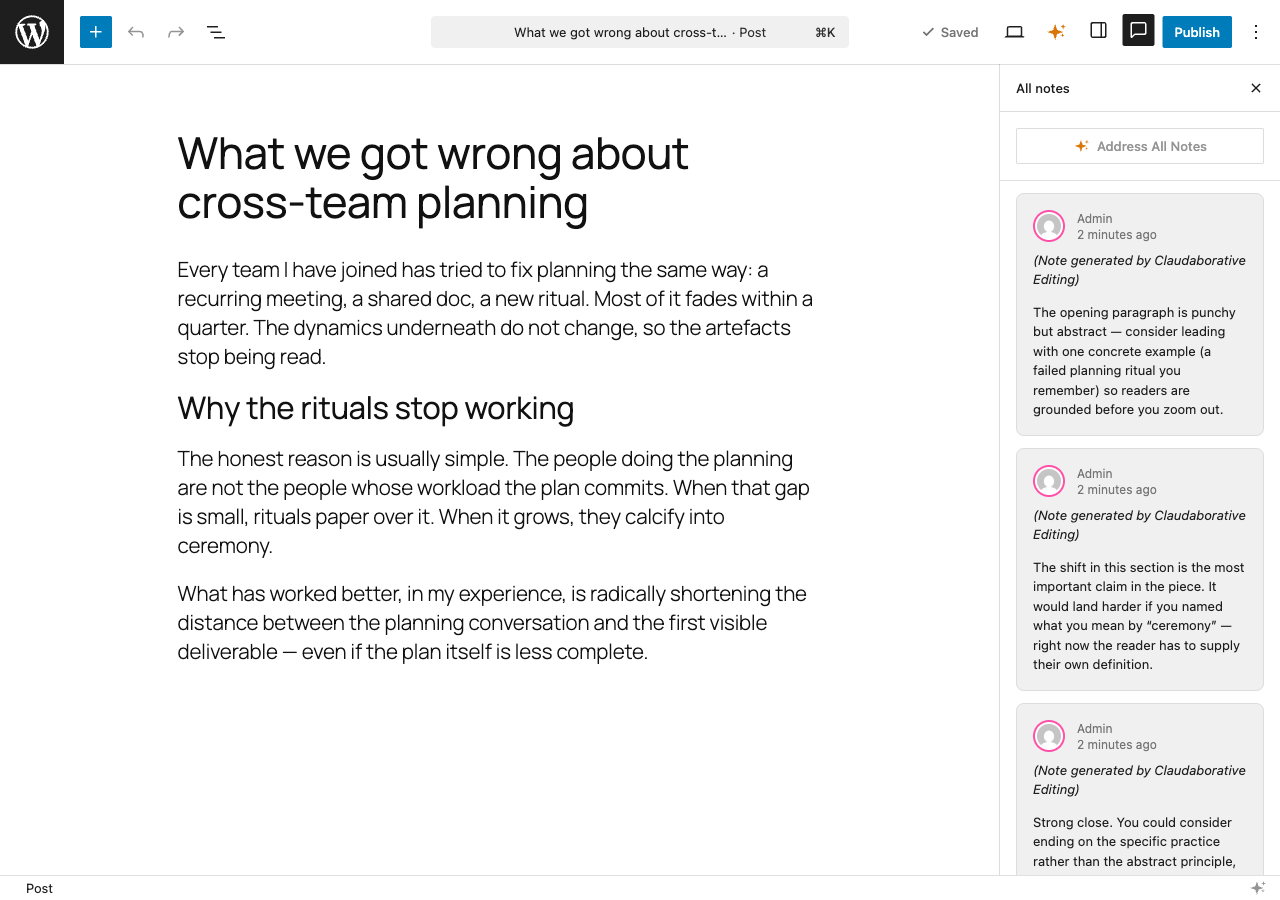
- Notes sidebar integration with per-note and address-all-notes buttons.
- Command queue via custom post type with REST API and SSE streaming.
- Real-time MCP connection status tracking.