
描述
Citation Note plugin easily add, manage, and display citations, references, and footnotes in posts, pages, or custom post types using a user-friendly editor interface.
This is developed to help content creators manage and display content citations or references directly from the post/page editor.
This plugin adds a custom meta box with dynamic citation fields that allow users to:
– Add multiple citation entries.
– Remove or reorder citations.
– Output citations in the frontend or within blocks.
Ideal for blogs, research publications, or any content that benefits from structured citation management.
How to use
- After activate the plugin and select the post type to apply citations.
- Go to the edit screen of any selected post type.
- Scroll down to the Citation List meta box.
- Click Add Citation to insert new fields.
- Fill in your citation data (citation number and description).
- In the content editor, insert the placeholder (e.g.,
citation_1) where the citation reference should appear. - Save or update the post.
- Use the shortcode
[citenote_display_list]or template functiondo_shortcode('[citenote_display_list]')to render the citation list on the frontend.
License
This plugin is licensed under the GPLv2 or later. For more information, see https://www.gnu.org/licenses/gpl-2.0.html.
螢幕截圖
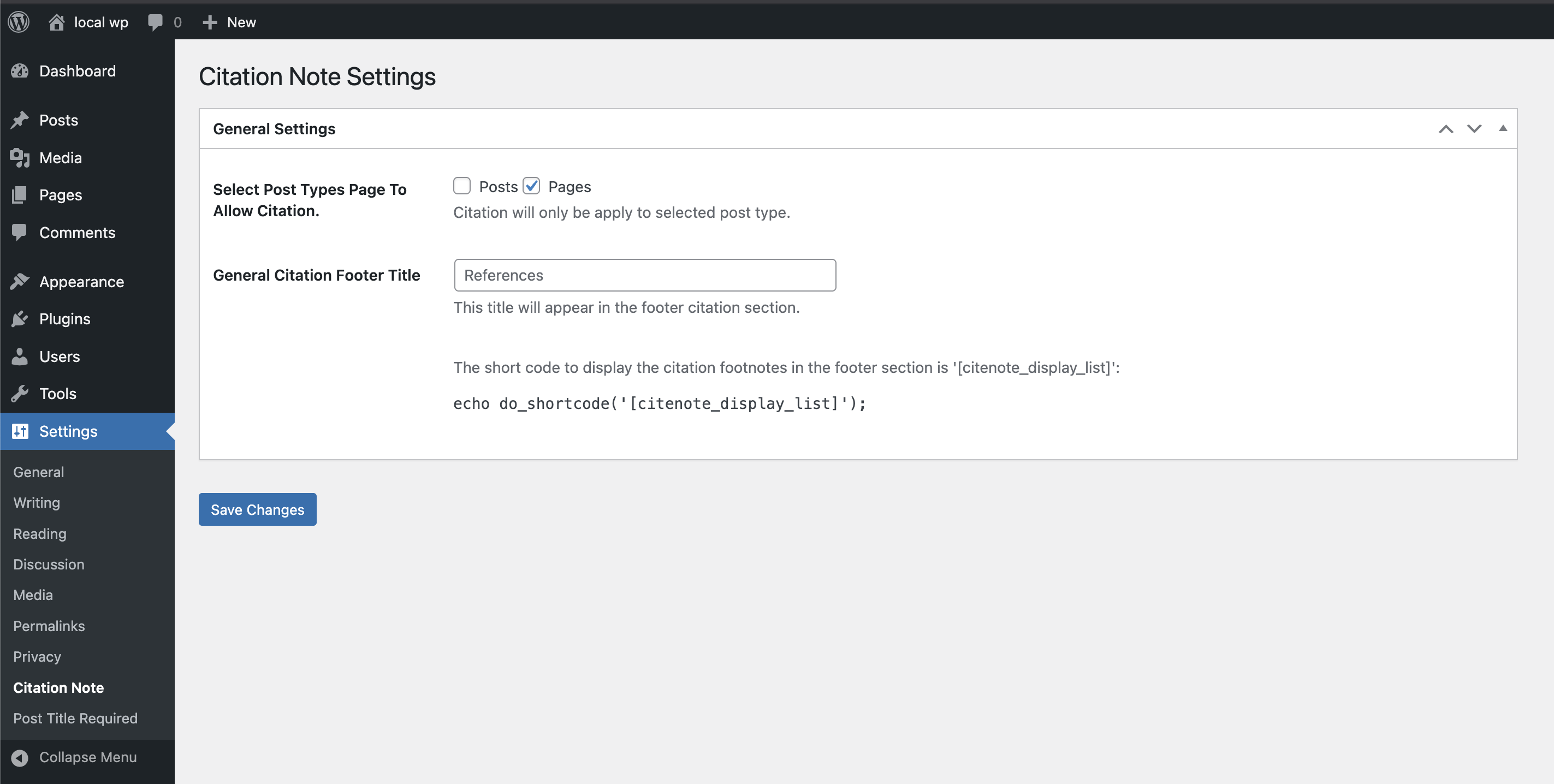
Plugin settings screen. 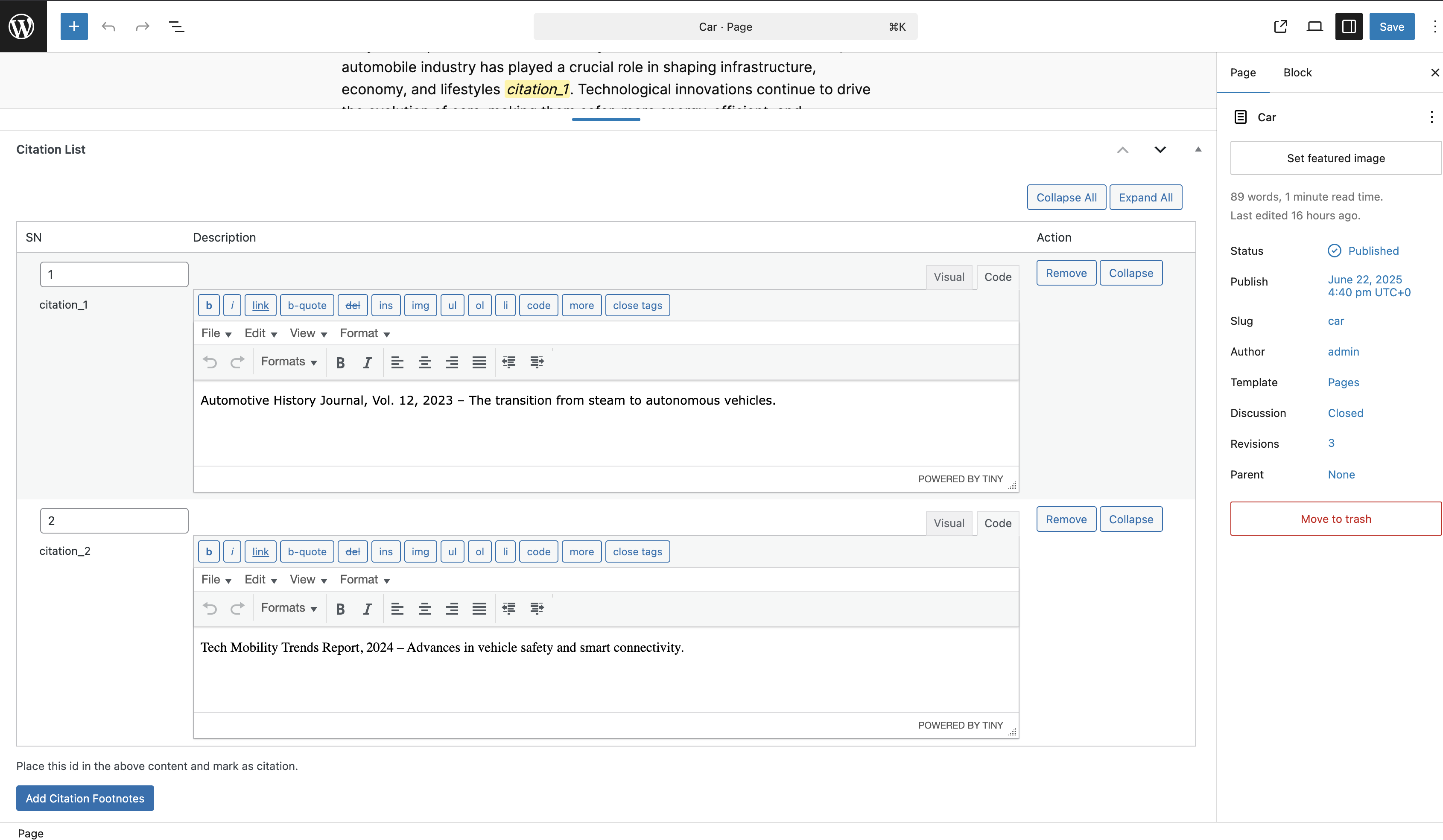
Citation meta box for entering data. 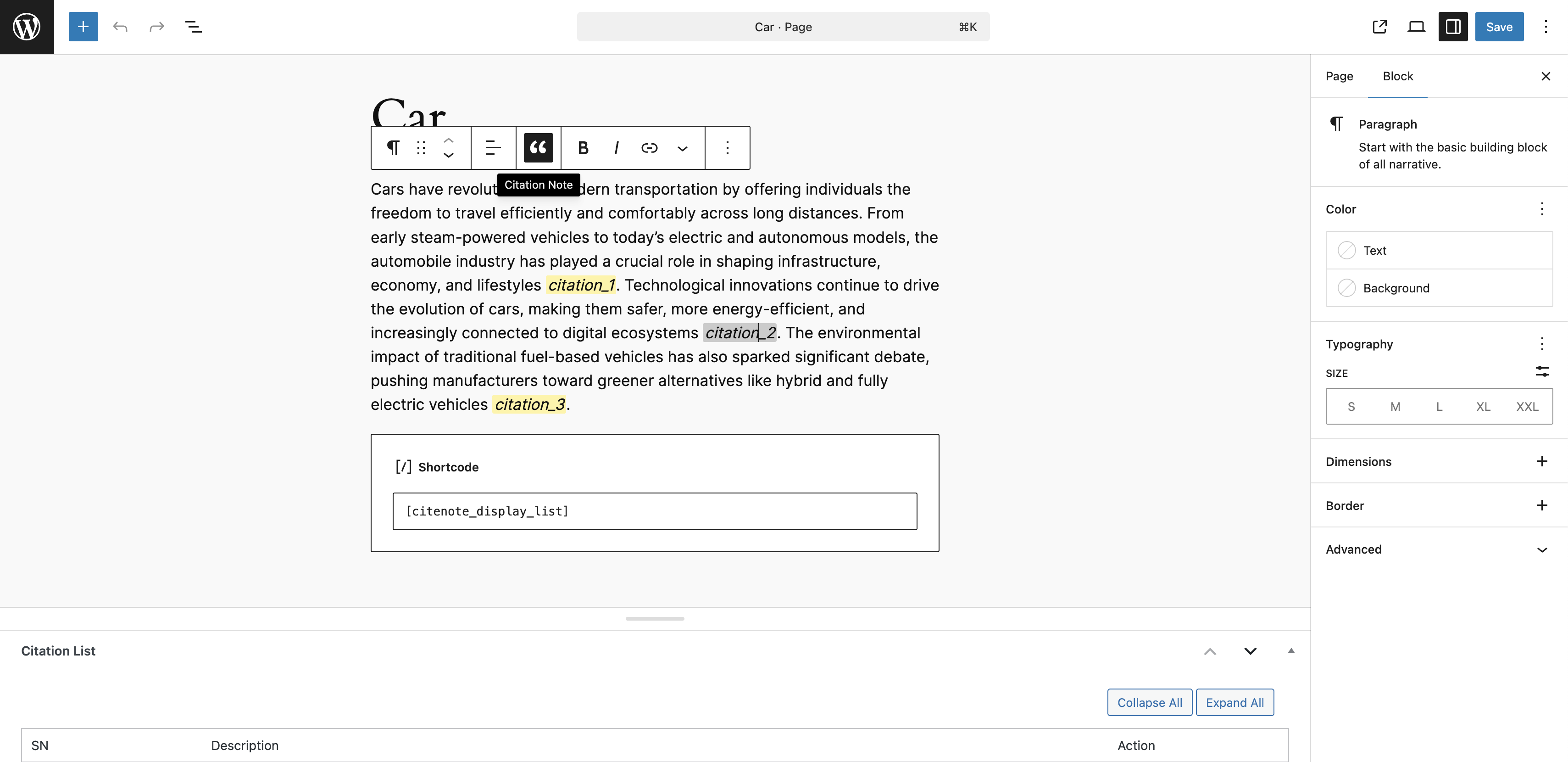
Citation placeholders and shortcode in content. 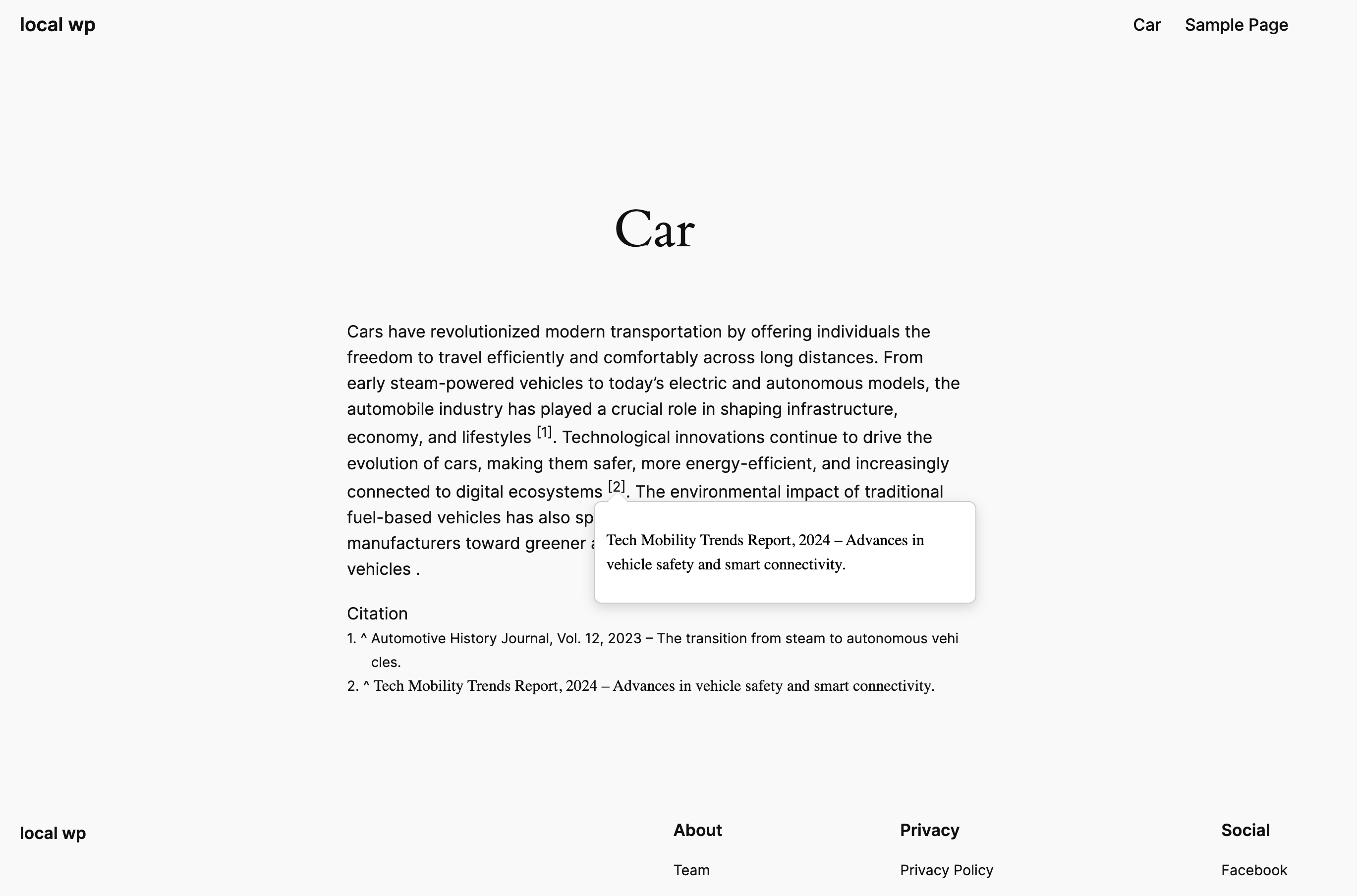
Frontend rendering of citation.
安裝
- Upload the plugin folder to
/wp-content/plugins/citation-note/or install via the Plugins menu. - Activate the plugin through the Plugins menu in WordPress.
- After activate the plugin, go to the plugin settings screen at
/wp-admin/options-general.php?page=citenote.- Select the post type(s) to apply citations.
- Set the citation footnote title (this will be displayed on the frontend).
常見問題
-
Can we apply to particular post type?
-
Yes, we can apply to only selected post type.
-
Can I style the citations differently?
-
Yes. The plugin includes a CSS file you can override in your theme.
-
Where is the citation data stored?
-
All citations are saved as post meta data under a structured array key.
-
Is this plugin compatible with Gutenberg?
-
Yes, it loads only on post editor screens and integrates seamlessly with the block editor.
評價
There are no reviews for this plugin.
貢獻者及開發者


修改日誌
1.1.1
- Fix JS issue
1.1.0
- Compatible to 6.9
- Fix citenoteplaceholder tag
1.0.0
- Initial release of Citation Note.
- Added support for dynamic citation fields and placeholder rendering.
- Included shortcode for citation list output.
- Admin settings to select post types and footnote title.