
描述
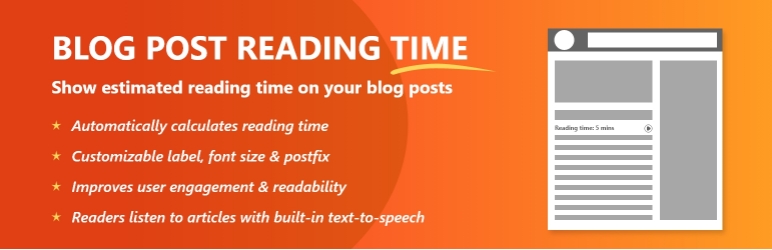
Blog Post Reading Time is a lightweight plugin that enhances your blog posts with two key features:
- Estimated Reading Time – show readers how long it will take to read your article.
- Listen to Article (Text-to-Speech) – allow visitors to listen to your blog post using a simple “Listen” button powered by the browser’s built-in speech API.
These features improve accessibility, keep users engaged, and reduce bounce rates by giving them multiple ways to consume your content.
Features:
– Automatically display reading time on posts
– Shortcode support: [bprt_post_reading_time] and [bprt_listen_article]
– Customizable label text (e.g., “Estimated reading time:”)
– Option to show or hide the clock icon (⏱)
– Display positions: after title, after featured image, or before content
– Custom font size setting (in px)
– Adjustable words-per-minute (WPM) setting
– Add a custom postfix (e.g., “min read”)
– Enable/disable “Listen to this Article” feature
– Lightweight and works without third-party APIs (uses browser’s built-in Web Speech API)
License
This plugin is released under the GPLv2 or later.
Credits
Developed by Rathod Narendra
Visit: https://kappatechnosoft.com
螢幕截圖

Plugin settings panel. 
Display position selection 
Display Mode Selection 
Show the reading time and listen button on post
安裝
- Upload the plugin folder
blog-post-reading-timeto the/wp-content/plugins/directory. - Activate the plugin through the Plugins menu in WordPress.
- Navigate to Settings > Blog Post Reading Time to configure options.
- Use the shortcodes
[bprt_post_reading_time]or[bprt_listen_article]in your posts if you want manual placement.
常見問題
-
Can I use this manually with a shortcode?
-
Yes. Use
[bprt_post_reading_time]for reading time and[bprt_listen_article]for the listen button. -
Does the listen feature require an external API or paid service?
-
No. It uses the browser’s built-in Web Speech API, which is completely free.
-
Will it work with custom post types?
-
Currently, it supports the default
posttype. Custom post type support may be added in future updates. -
Can I hide the clock icon?
-
Yes, the plugin includes a checkbox setting to toggle the clock icon on or off.
-
Can I disable the listen feature if I don’t want it?
-
Yes. The “Listen to Article” option can be turned on or off in the plugin settings.
評價
There are no reviews for this plugin.
貢獻者及開發者

修改日誌
2.1
- Added Listen to Article feature with shortcode
[bprt_listen_article] - Added toggle option in settings to enable/disable listening feature
- Improved shortcode rendering and frontend scripts
1.1
- Added shortcode option
- Added display mode: automatic or manual
- New settings: font size, label, postfix, WPM, icon toggle
- Improved rendering logic
1.0
- Initial release