

描述
Sajeebit School Attendance helps schools manage students, classes, sections, and daily attendance directly from the WordPress dashboard.
It is a self-contained free plugin. Attendance data stays in your WordPress database. The free version does not require Firebase, SMS gateways, WhatsApp APIs, biometric hardware, or other paid external services.
Official website: https://sajeebit-school-attendance.sajeebit.com/
Features
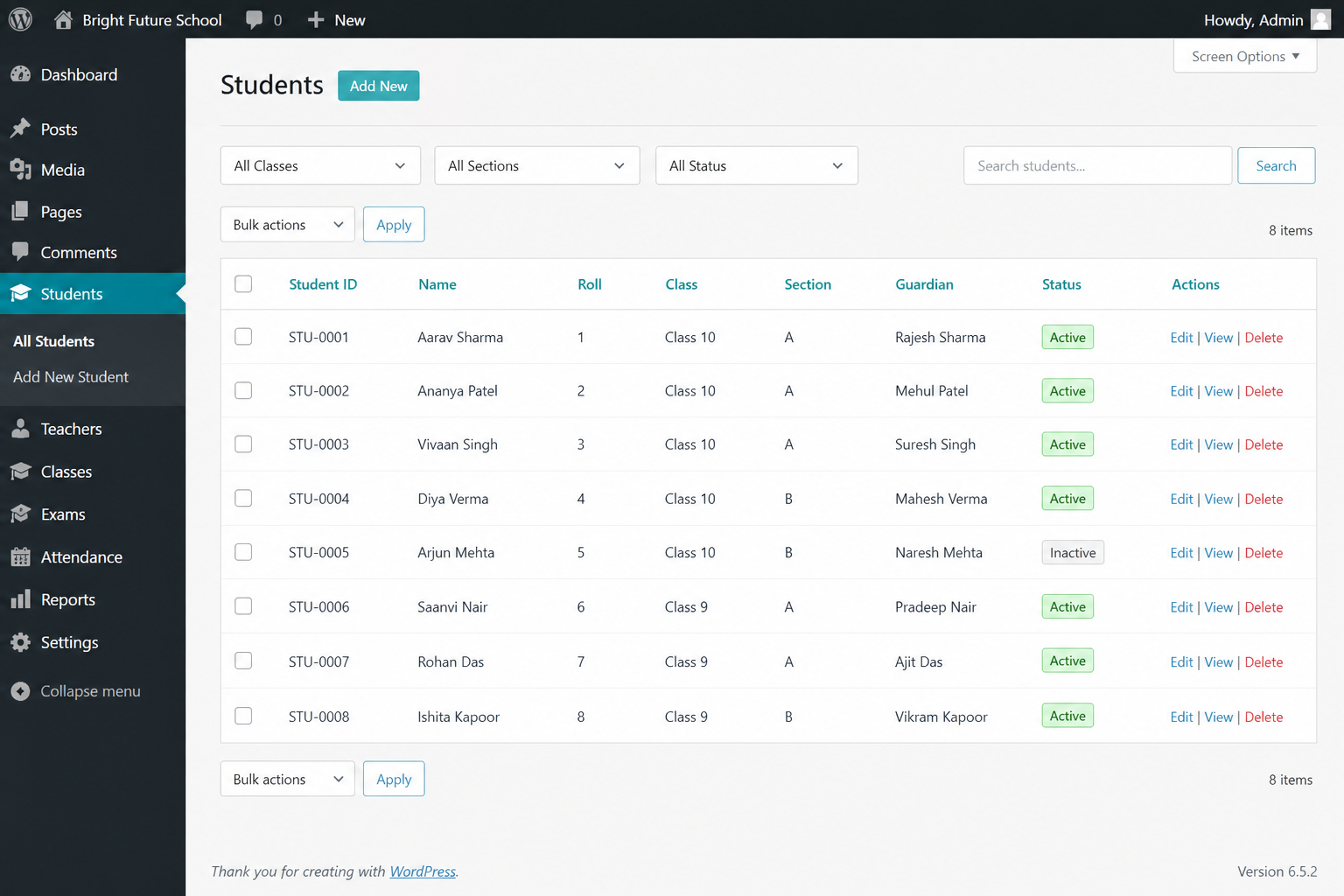
- Student management (ID, name, roll, class, section, guardian, status)
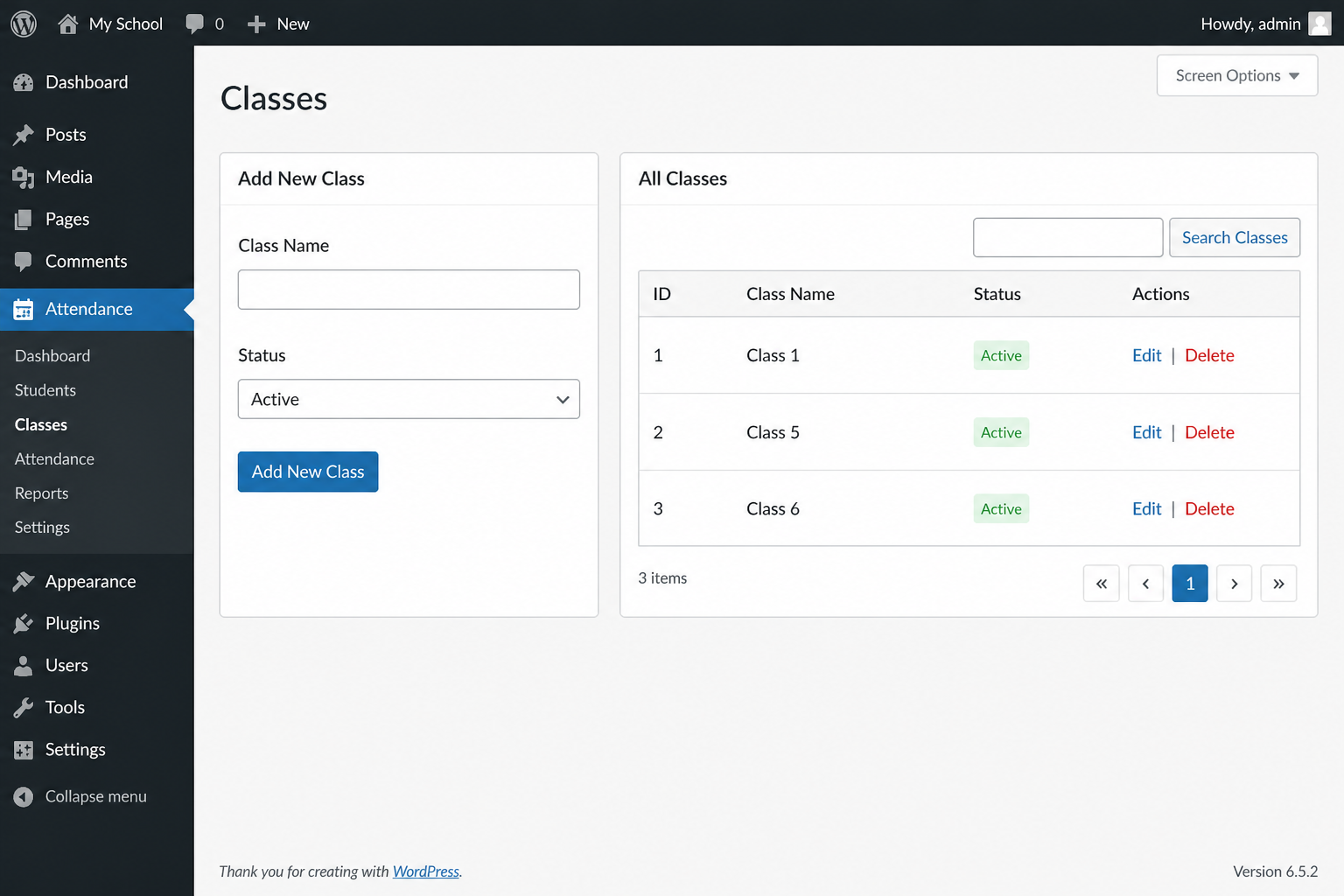
- Class management
- Section management
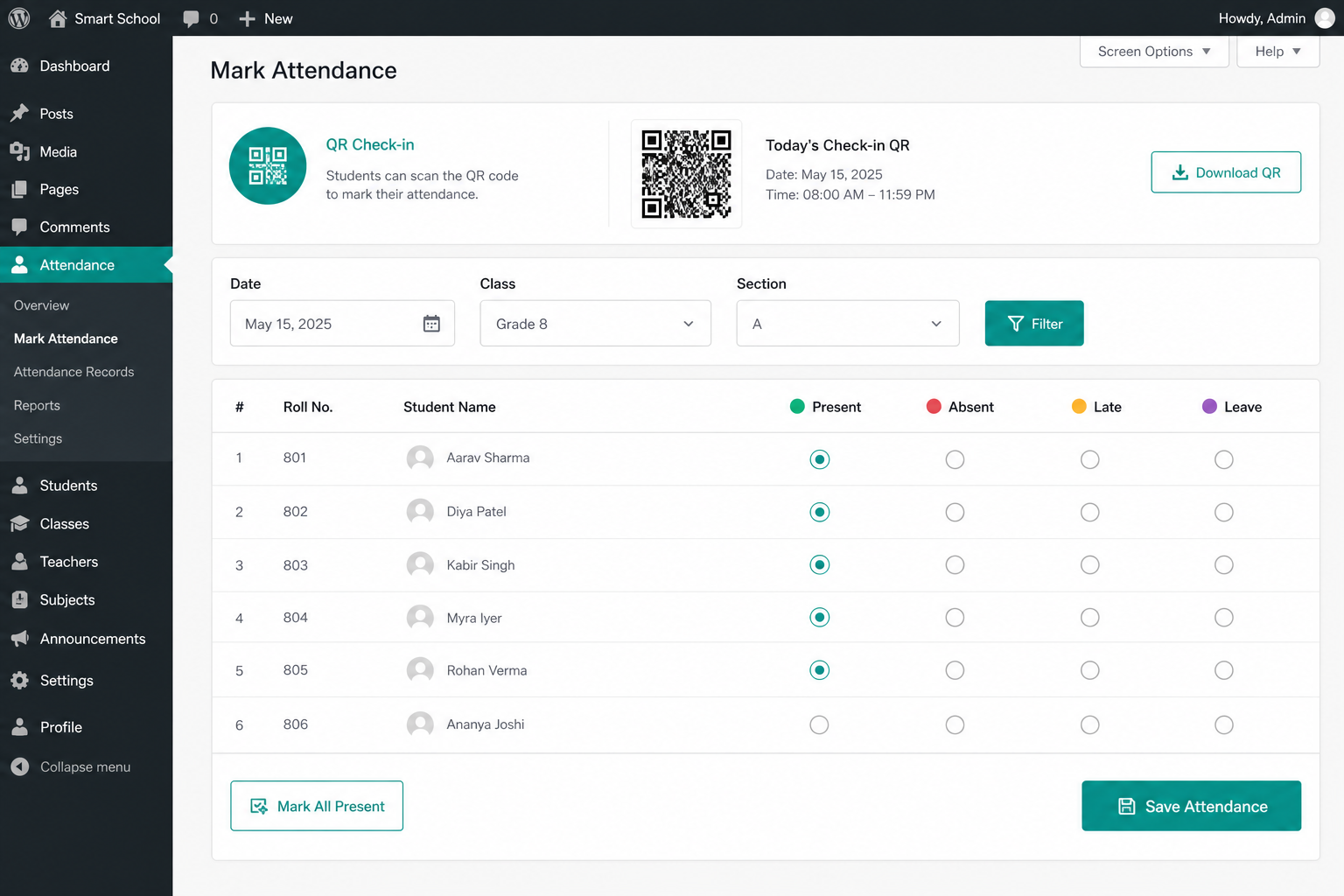
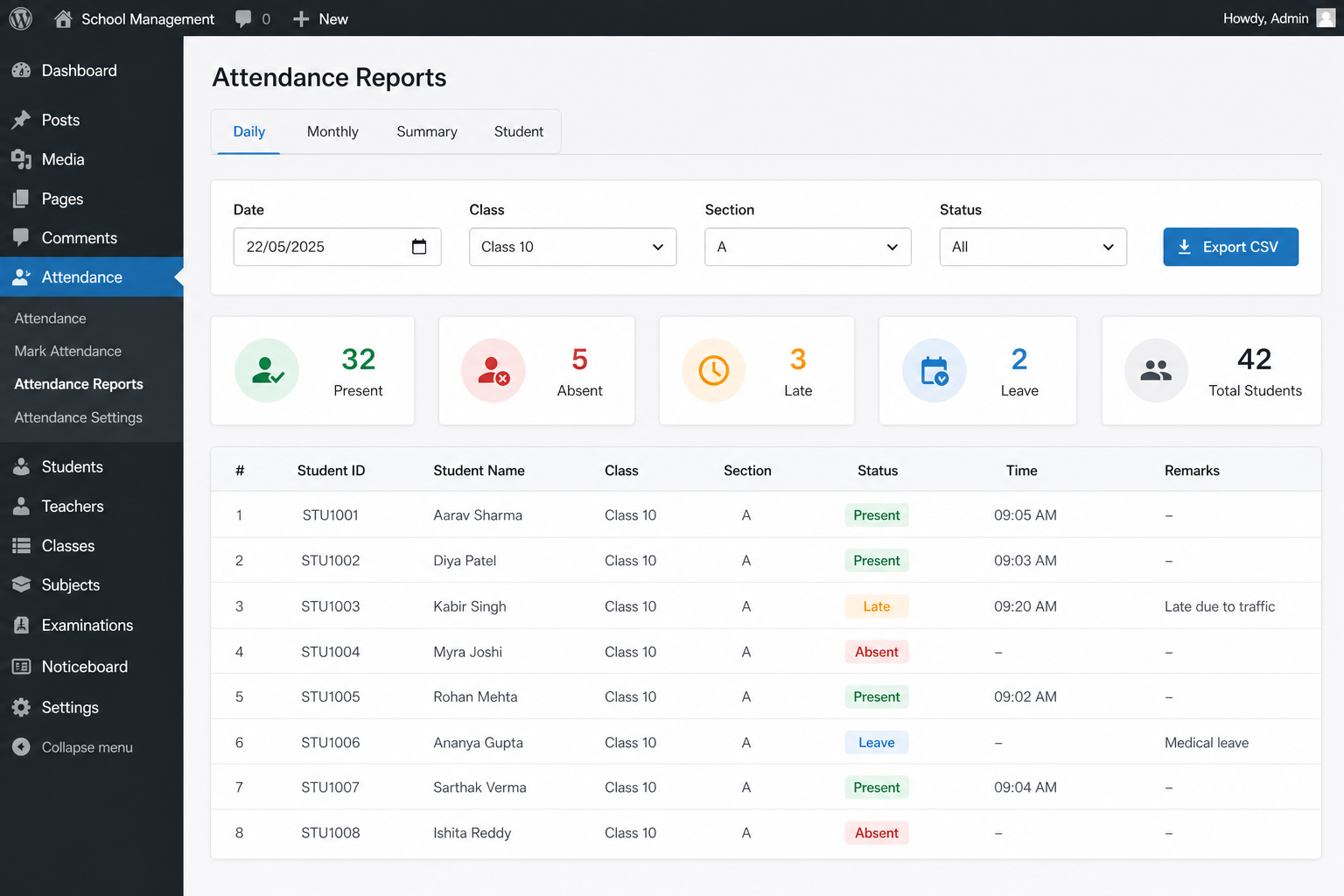
- Daily attendance with present, absent, late, and leave statuses
- QR code per student for attendance check-in
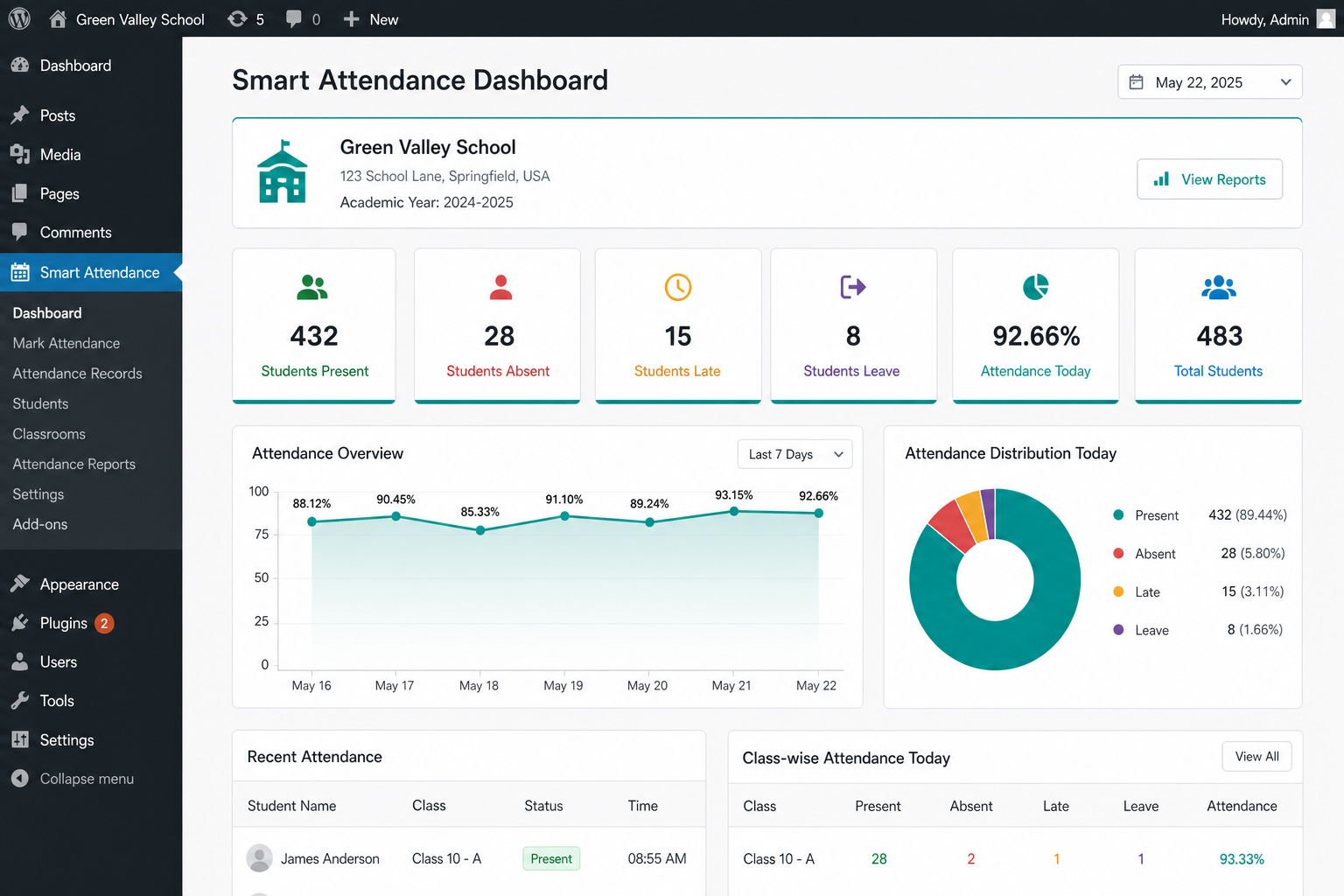
- Dashboard statistics and charts
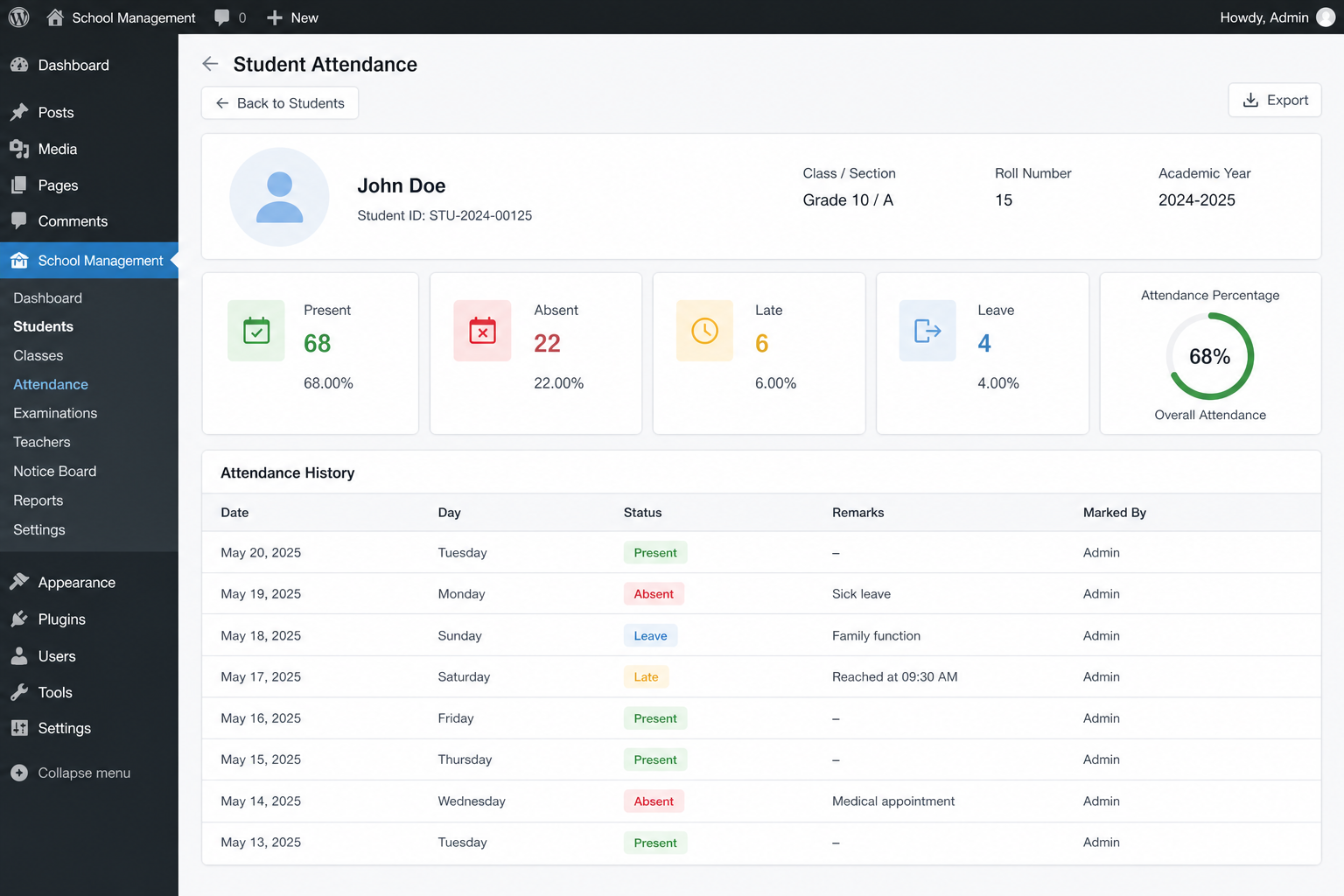
- Attendance history per student
- Monthly reports and attendance percentage
- Search and filtering
- CSV export
- Settings for school profile, attendance rules, and uninstall data option
Documentation
Full documentation with screenshots: https://sajeebit-school-attendance.sajeebit.com/docs.html
Quick start:
- Activate the plugin.
- Create classes, then sections.
- Add students.
- Open Attendance, select date/class, and save — or use QR Check-in.
- Review Reports and export CSV when needed.
Privacy
- No remote tracking
- No analytics injection
- No phoning home
- Optional data deletion on uninstall (disabled by default)
螢幕截圖
安裝
- Install Sajeebit School Attendance from the WordPress plugin directory, or upload the plugin ZIP via Plugins Add New Upload Plugin.
- Activate the plugin through the Plugins screen.
- Open Sajeebit Attendance from the WordPress admin menu.
- Create your classes.
- Create sections.
- Add students.
- Start recording attendance (manual grid or QR check-in).
More detail: https://sajeebit-school-attendance.sajeebit.com/docs.html
常見問題
-
Where can I find documentation and screenshots?
-
Visit https://sajeebit-school-attendance.sajeebit.com/docs.html
-
Can I manage multiple classes?
-
Yes. You can create multiple classes and sections.
-
Can I record absent students?
-
Yes. The plugin supports present, absent, late, and leave statuses.
-
Does the plugin require an external service?
-
No. The free version works directly inside WordPress.
-
Does it support QR attendance?
-
Yes. Each student receives a signed QR code. On the Attendance screen, use QR Check-in with a USB scanner or by pasting the code.
-
Does it support biometric devices?
-
The free version provides manual and QR attendance management. Biometric integrations (for example ZKTeco or Suprema) may be provided separately in future extensions.
-
What happens to my data if I uninstall the plugin?
-
By default, plugin data is kept on uninstall. You can enable “Delete all data on uninstall” in Settings Privacy if you want tables and settings removed.
-
How is attendance percentage calculated?
-
Attendance % = Present days / Working days × 100. Working days are the distinct dates that have attendance records for that student in the selected period.
評價
There are no reviews for this plugin.
貢獻者及開發者

修改日誌
1.0.0
- Initial release: students, classes, sections, attendance, QR check-in, reports, CSV export, dashboard charts, and settings.