

描述
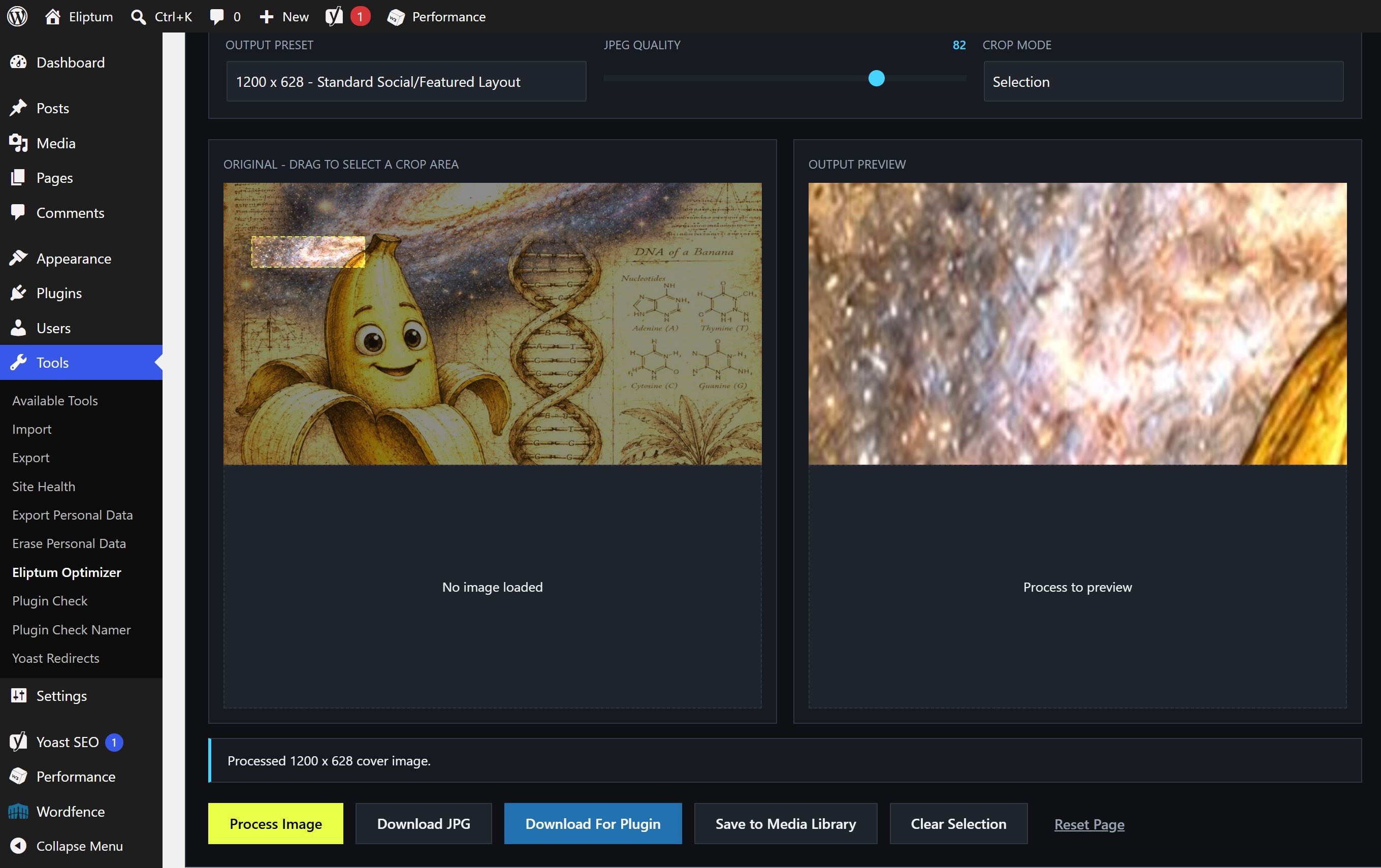
Eliptum Cover Image Optimizer introduces an asynchronous, sandboxed client-side processing workstation running completely within the user’s local browser environment. By manipulating pixels strictly via HTML5 canvas operations, it completely isolates production web servers from standard memory-intensive image handling overhead.
Users can safely load local resources via drag-and-drop mechanics, execute real-time relative crops, target dedicated layout viewport presets (1200×628, 1600×900, 1920×1080, 800×450), and save results locally or directly into the native WordPress Media Library.
The utility features complex lightweight filtering math including granular levels (black/white points), gamma distribution modifications, contrast adjustment matrices, pixel saturation alterations, channel-specific balances, high-pass sharpening kernels, and gray/heat/cyan/gold color mappings.
For WordPress developers and open-source creators, this workspace functions as a complete asset generation kit to build graphics for the official WordPress.org plugin repository. Using the specialized “Download For Plugin” pipeline, the utility automatically scales and center-crops any source image into the four exact required deployment formats: a normal banner (banner-772x250.jpg), a high-DPI retina banner (banner-1544x500.jpg), a standard square icon (icon-128x128.png), and a high-DPI retina square icon (icon-256x256.png). These can be downloaded instantly in a single action to place directly inside your SVN assets directory.
Features
- Fully isolated browser-based local engine processing via HTML Canvas APIs.
- One-click automated asset bundle production for generating official WordPress plugin repository assets (
banner-772x250.jpg,banner-1544x500.jpg,icon-128x128.png, andicon-256x256.png). - Automated crop boundaries featuring center, top, bottom, and smart center matrix fills.
- Secure optional cross-origin direct asset loading.
- Integrated dynamic save mechanics pipeline targeting the native WordPress Media Library without page reloads.
- Comprehensive structural image manipulations including advanced sharpening algorithms and custom channel transformations.
- No external tracking frameworks, tracking cookies, or remote script injections.
螢幕截圖
安裝
- Upload the
eliptum-cover-image-optimizerfolder structure to your/wp-content/plugins/directory. - Toggle activation within your WordPress Plugins admin window.
- Simply navigate through your admin dashboard and click on Tools -> Eliptum Optimizer to access the unified workbench workspace.
常見問題
-
Does this framework introduce memory leaks or heavy server loads?
-
No. Because execution parameters map directly onto local client-side hardware via canvas processing loops, your production web host encounters absolutely zero performance impact.
-
Why do certain direct remote URLs throw security alerts?
-
Browsers strictly enforce Cross-Origin Resource Sharing (CORS) specifications. Remote servers hosting files must explicitly supply permissive headers to allow deep browser pixel operations. Using the local drag-and-drop file uploader completely bypasses this browser rule.
評價
There are no reviews for this plugin.
貢獻者及開發者

修改日誌
1.1.4
- Fixed tag metadata naming structural compatibility for the WordPress.org repository sidebar display loops.
- Updated screenshot reference configuration to clear CDN preview thumbnail generation cache.
1.1.3
- Added “Download For Plugin” single-action generator for official WordPress repository asset formats (banners and icons).
- Migrated plugin entry access point documentation to Tools -> Eliptum Optimizer.
1.1.2
- Complete namespace rebrand to resolve directory trademark conflicts.
- Enhanced technical category feature documentation.