

描述
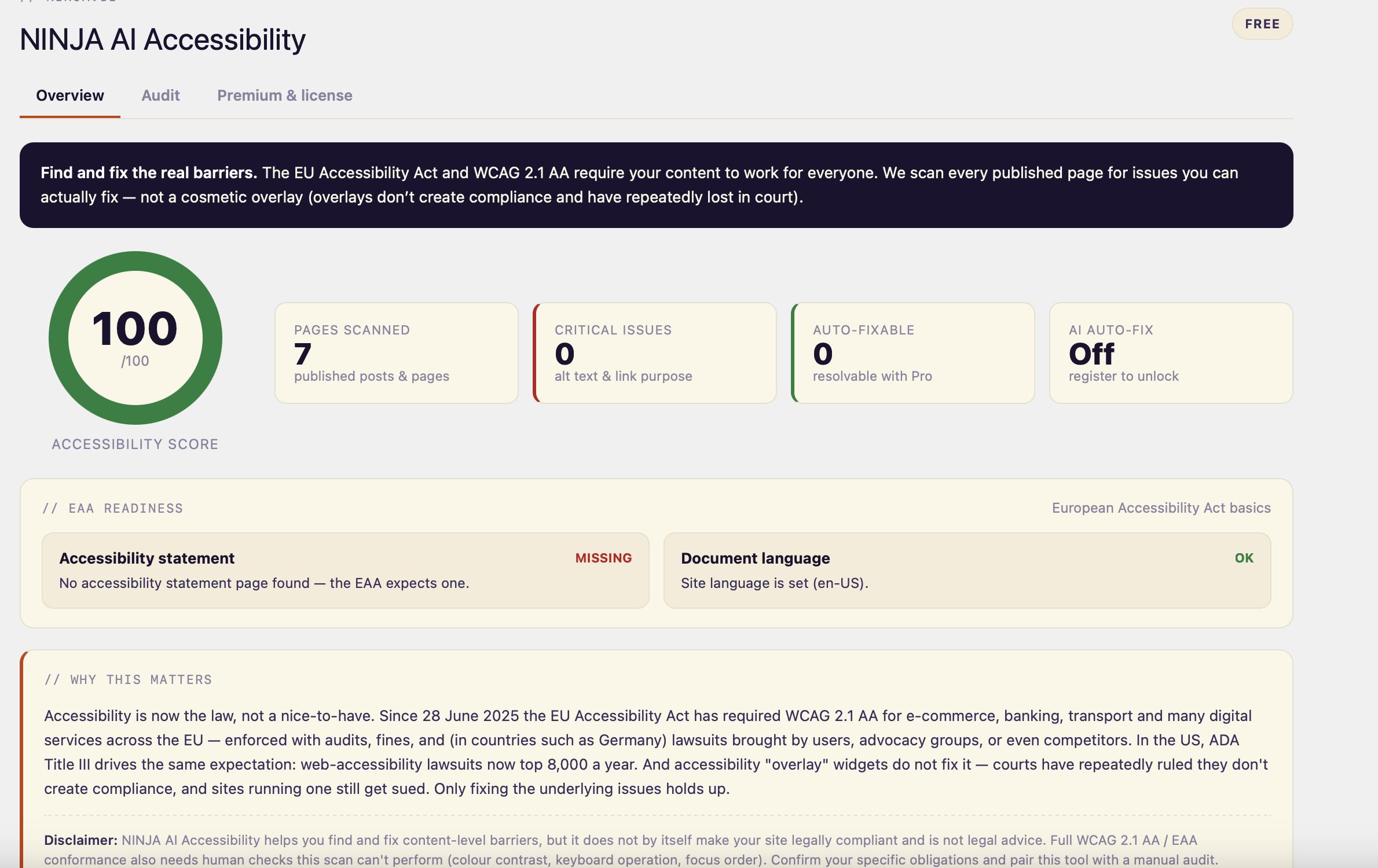
The European Accessibility Act (in force since June 2025) and WCAG 2.1 AA make
accessibility a legal requirement, not a nice-to-have. NINJA AI Accessibility
scans every published post and page for the barriers you can actually fix and
scores each one 0–100, worst-first.
This is not an accessibility “overlay.” Overlay widgets don’t create
compliance — courts have repeatedly ruled against them, and in 2025 a large
share of accessibility lawsuits targeted sites that had one installed. We don’t
hide problems behind a toolbar; we find the real ones in your content and tell
you how to fix them.
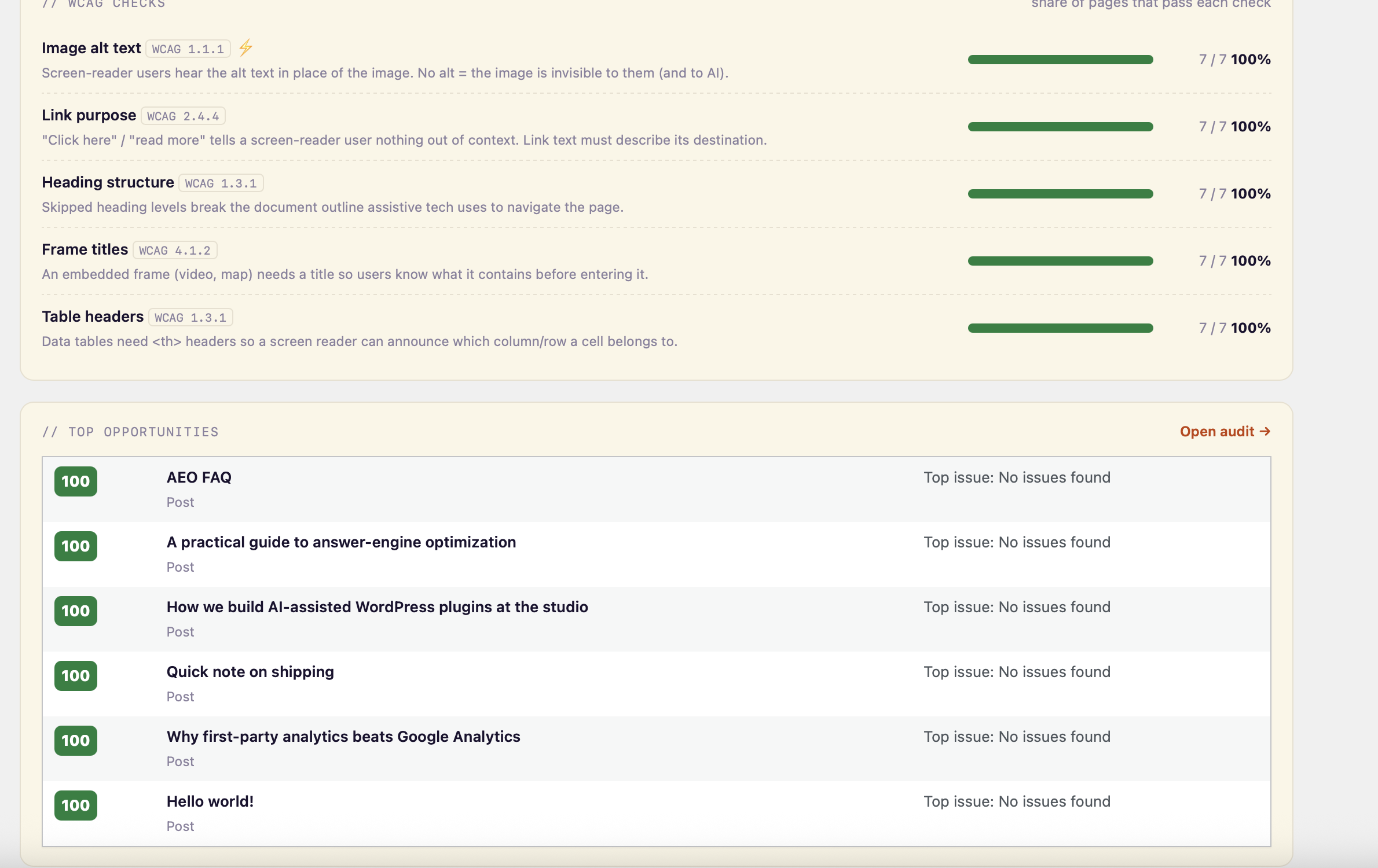
What it checks (per post/page, scored 0–100):
- Image alt text (WCAG 1.1.1) — flags images with no
altattribute. Valid
decorative images (alt="") are correctly left alone, so you don’t get
false positives. - Link purpose (WCAG 2.4.4) — empty links and vague text like “click here”
or “read more” that tell a screen-reader user nothing out of context. - Heading structure (WCAG 1.3.1) — skipped heading levels and multiple H1s
that break the document outline. - Frame titles (WCAG 4.1.2) — embedded iframes (video, maps) with no title.
- Table headers (WCAG 1.3.1) — data tables missing
<th>header cells.
EAA readiness panel: checks for a published accessibility statement and a
declared document language.
Honest about its limits. Some criteria — colour contrast, keyboard focus
order, theme landmarks — depend on rendered styles and can’t be judged from
content alone, so we never claim to. Use this to fix what’s findable and pair
it with a manual review for full WCAG 2.1 AA / EAA conformance. The free plugin
runs entirely on your site and makes no external requests.
NINJA AI Accessibility Pro (optional add-on)
NINJA AI Accessibility Pro (from https://ninja.si — not the WordPress.org
directory) adds one-click, AI-assisted remediation (e.g. generating descriptive
alt text from each image) and Accessibility Watch — it re-scans on a
schedule and emails you when a new publish introduces a barrier or your score
drops. Pro is the only part that contacts ninja.si, and only after you register.
螢幕截圖
安裝
- In your WordPress admin go to Plugins Add New, search for “NINJA AI Accessibility” and click Install Now — or upload the ZIP under Plugins Add New Upload Plugin.
- Click Activate.
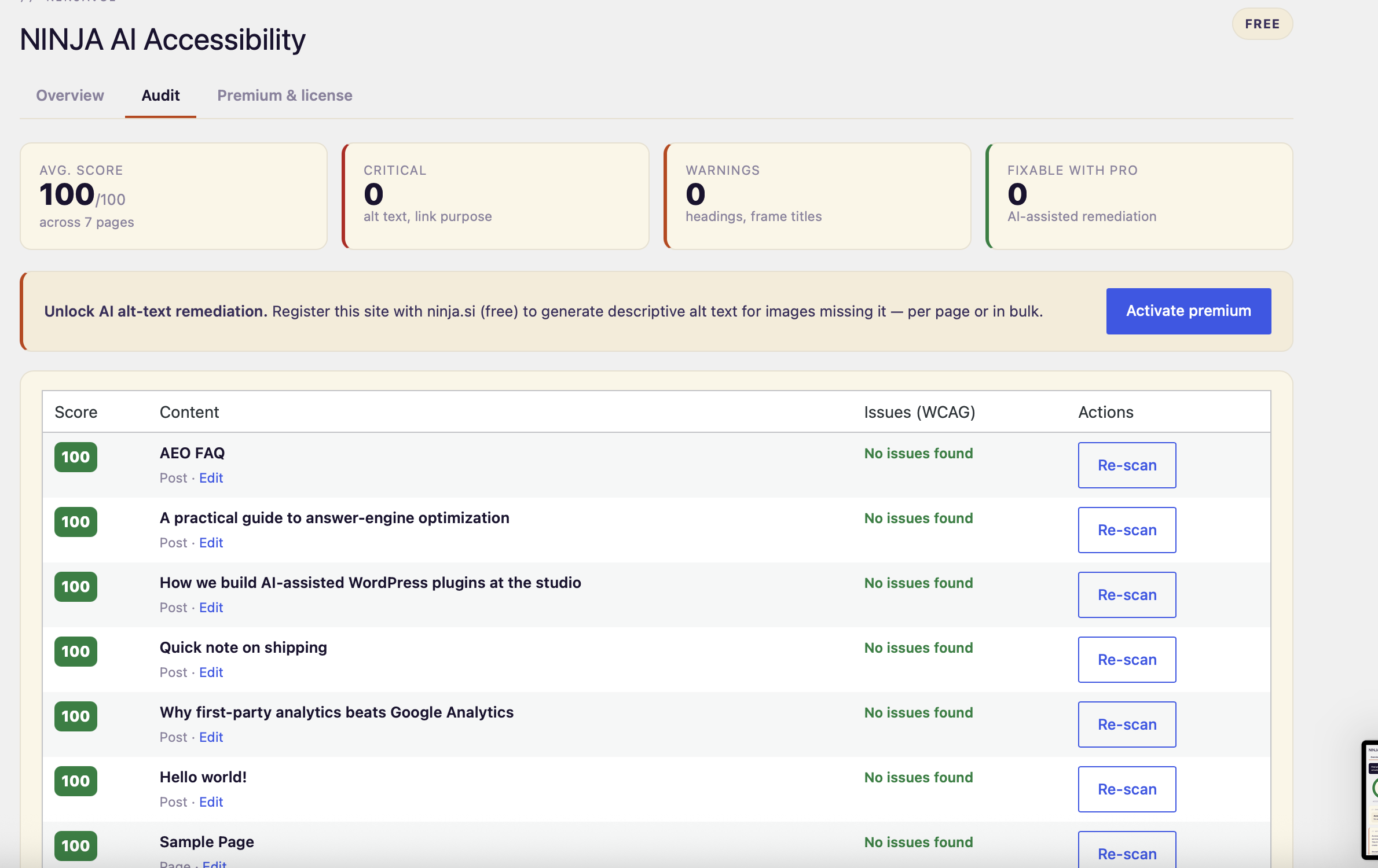
- Open Accessibility in the admin menu. The Overview tab shows your site score and EAA readiness; the Audit tab scores every post and page with a prioritized issue list and links straight to the editor.
No account, API key or external service is required.
常見問題
-
Is this an accessibility overlay?
-
No — and that’s the point. Overlays don’t make a site compliant and have lost in
court. This plugin audits your real content so you can fix the underlying issues. -
Does it make my site WCAG/EAA compliant on its own?
-
No plugin can. It finds and helps you fix the content-level barriers it can
reliably detect; full conformance also needs a manual review (contrast, keyboard
use, focus order). We’re explicit about what we can and can’t check. -
Does the free plugin send data anywhere?
-
No. All scanning happens locally in your WordPress install.
評價
There are no reviews for this plugin.
貢獻者及開發者

修改日誌
1.0.0
- Initial release: WCAG 2.1 content audit (alt text, link purpose, heading
structure, frame titles, table headers), 0–100 scoring, EAA readiness panel,
and a prioritized per-page audit.