

描述
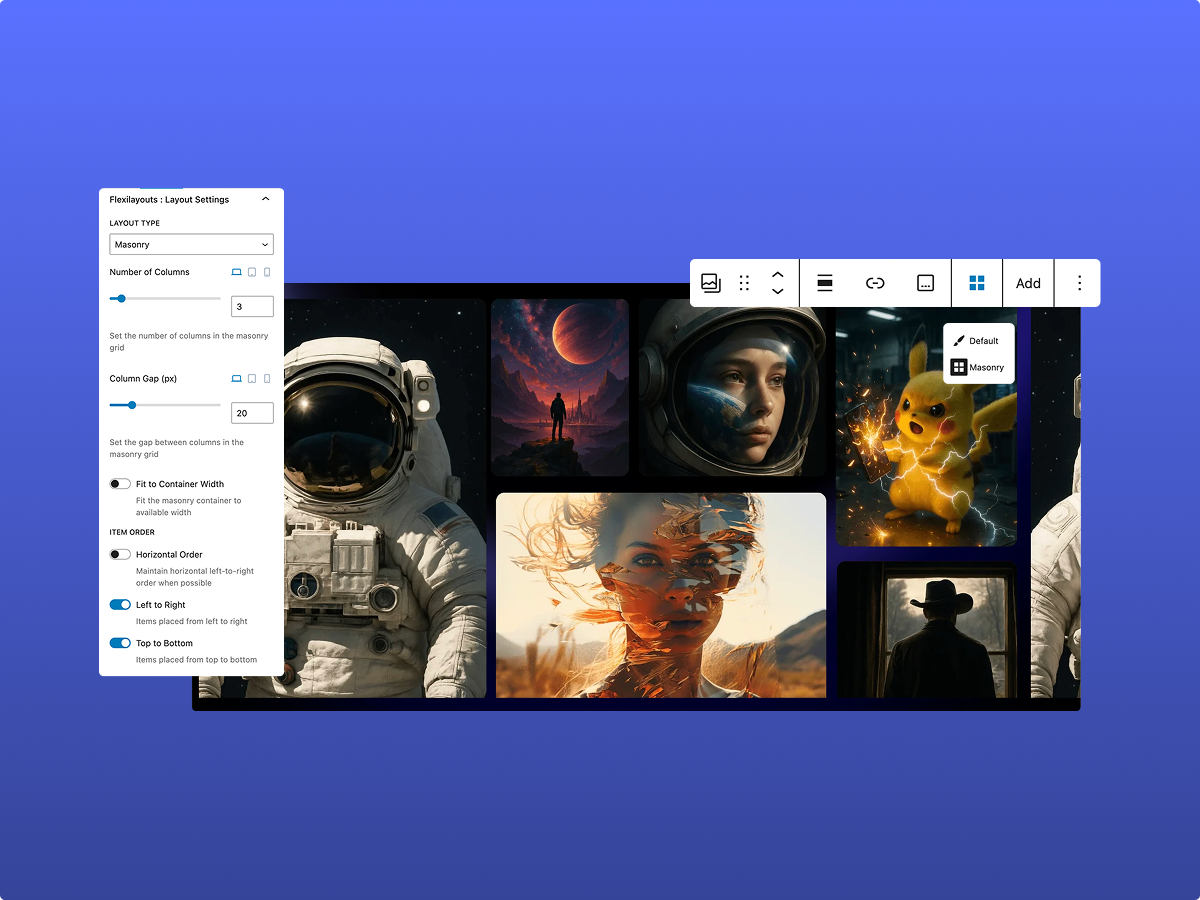
FlexiLayouts extends the WordPress block editor with powerful layout options and animations. Easily convert Gallery block into a responsive and stunning masonry grids without writing a single line of code.
Key Features
- Masonry Grids: Create beautiful masonry layouts in gallery block
- Responsive Controls: Fine-tune settings for different screen sizes
- Performance Optimized: Built with modern JavaScript and CSS
Source files
Supported Blocks
- Core/Gallery
螢幕截圖
安裝
- Upload the
flexilayoutsfolder to the/wp-content/plugins/directory - Activate the plugin through the ‘Plugins’ menu in WordPress
- Edit Gallery block to access the new layout options
常見問題
-
How do I create a Masonry Gallery?
-
- Add Gallery Block
- Open the block settings in the right sidebar
- Navigate to the ‘Layout’ tab
- Select ‘masonry’ from the layout options
- Customize the masonry settings as needed
-
Can I use this with my theme?
-
Yes! FlexiLayouts is designed to work with any WordPress theme that supports the block editor.
-
Is this plugin compatible with page builders?
-
FlexiLayouts works with the default WordPress block editor. Compatibility with third-party page builders may vary.
評價
There are no reviews for this plugin.
貢獻者及開發者

修改日誌
1.0.0
- First release! Fueled by coffee, commits, and questionable life choices. FlexiLayouts is finally live. 🚀