
描述
A Plugin Compatibility Checker is vital for WordPress users to ensure seamless updates. It offers a comprehensive system overview, including RAM usage and disk space availability, allowing users to gauge compatibility with upcoming updates. By comparing plugin versions and indicating update status, it streamlines the update process. With the ability to export data for analysis, it’s an essential tool for maintaining a stable WordPress ecosystem.
✨ Key Features
- System Information Overview – Easily access vital system metrics, including installed libraries, RAM usage, disk space availability, and more. Empower yourself with crucial insights into your system’s health, allowing you to gauge compatibility with upcoming WordPress updates effortlessly.
- Plugin Version Comparison – Instantly compare your installed plugin versions with the latest releases, ensuring you’re up-to-date and compatible with the latest WordPress version.
- Update Status Indicator – Quickly identify which plugins are ready for update and which ones require attention before proceeding with WordPress updates.
- User-Friendly Interface – Navigate and utilize the plugin’s functionalities effortlessly, making the compatibility checking process a breeze.
✨ List of ALL Features
- Display all the Information of Plugin at one page
- Plugin Current Version Check
- Plugin Latest Release Version Check
- Compatible With WordPress Version
- Plugin Ready to Update Or Not
- Filter to check plugin activated or not
- Display Total Number of Issues Resolved in Last Two Months
- Display Count of Total Number of Plugin Installed
- Displayed Count of Total Number of Plugin Activate or Deactivate
- Display all the supported php version for plugin
- Export data to excel
- Display System Info
This plugin relies on Tide that scans updated versions of plugins and shows which version of php is supported.
螢幕截圖

The main plugin interface. 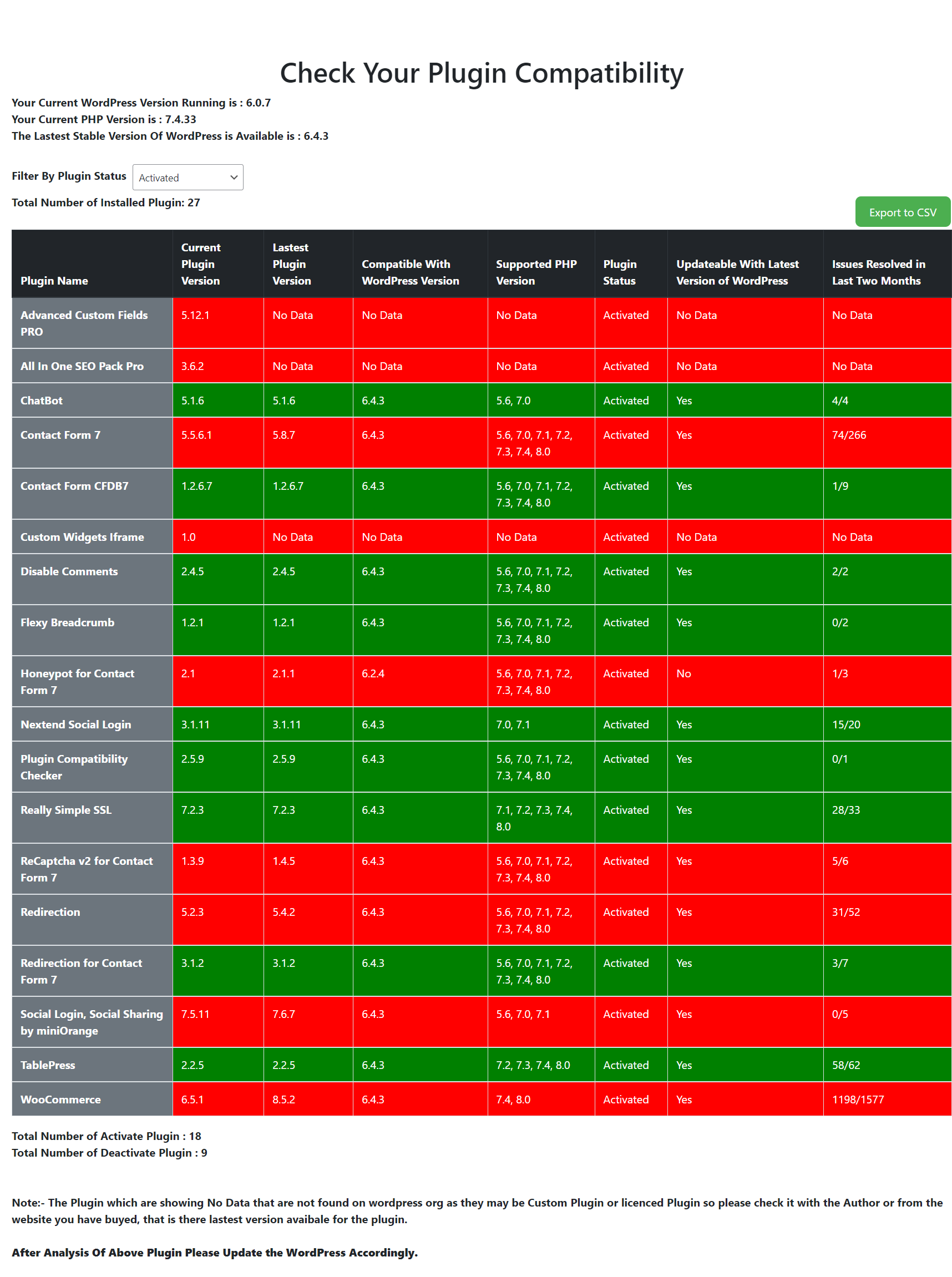
Shows Activate Plugin. 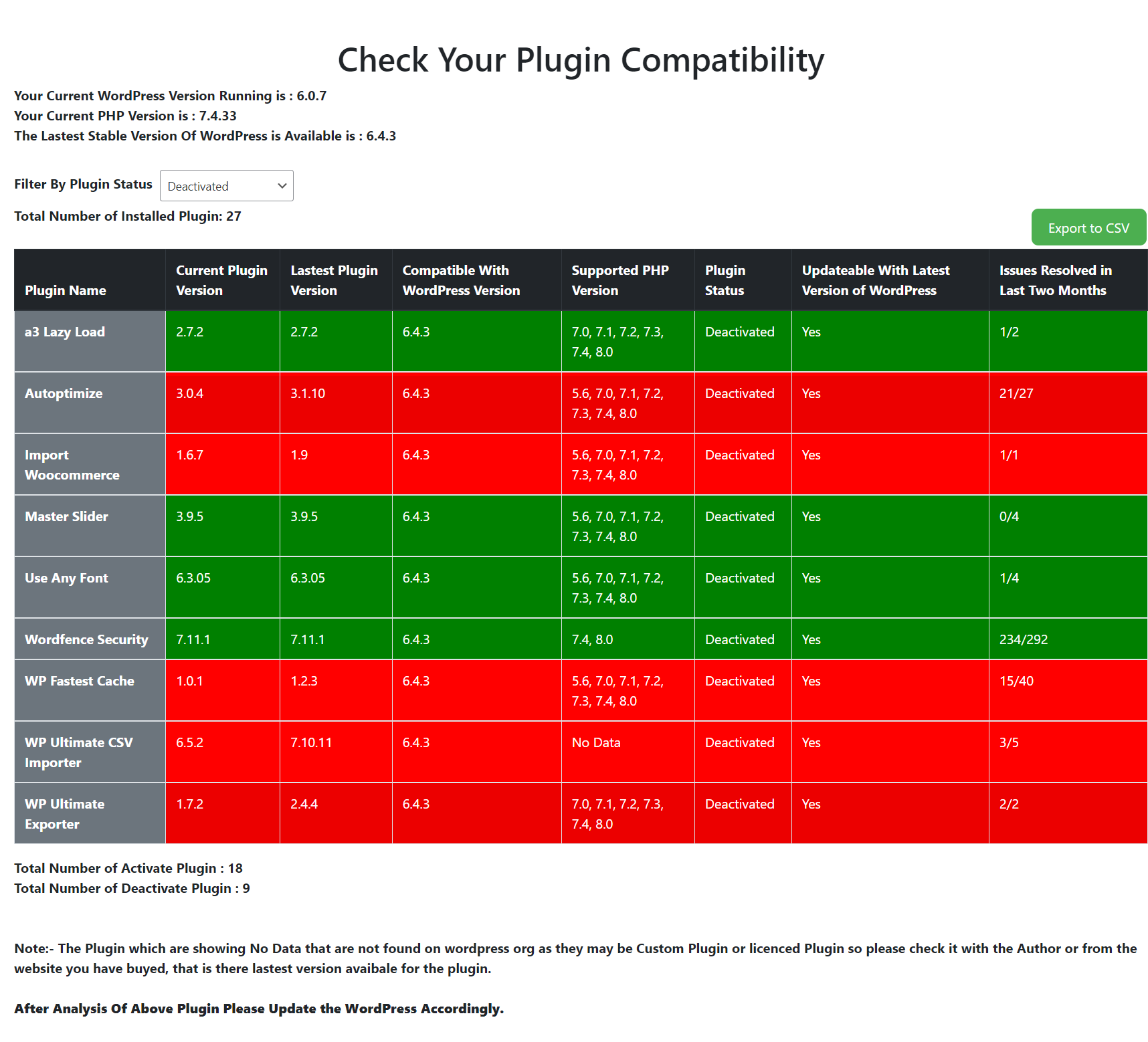
Shows Inactive Plugin 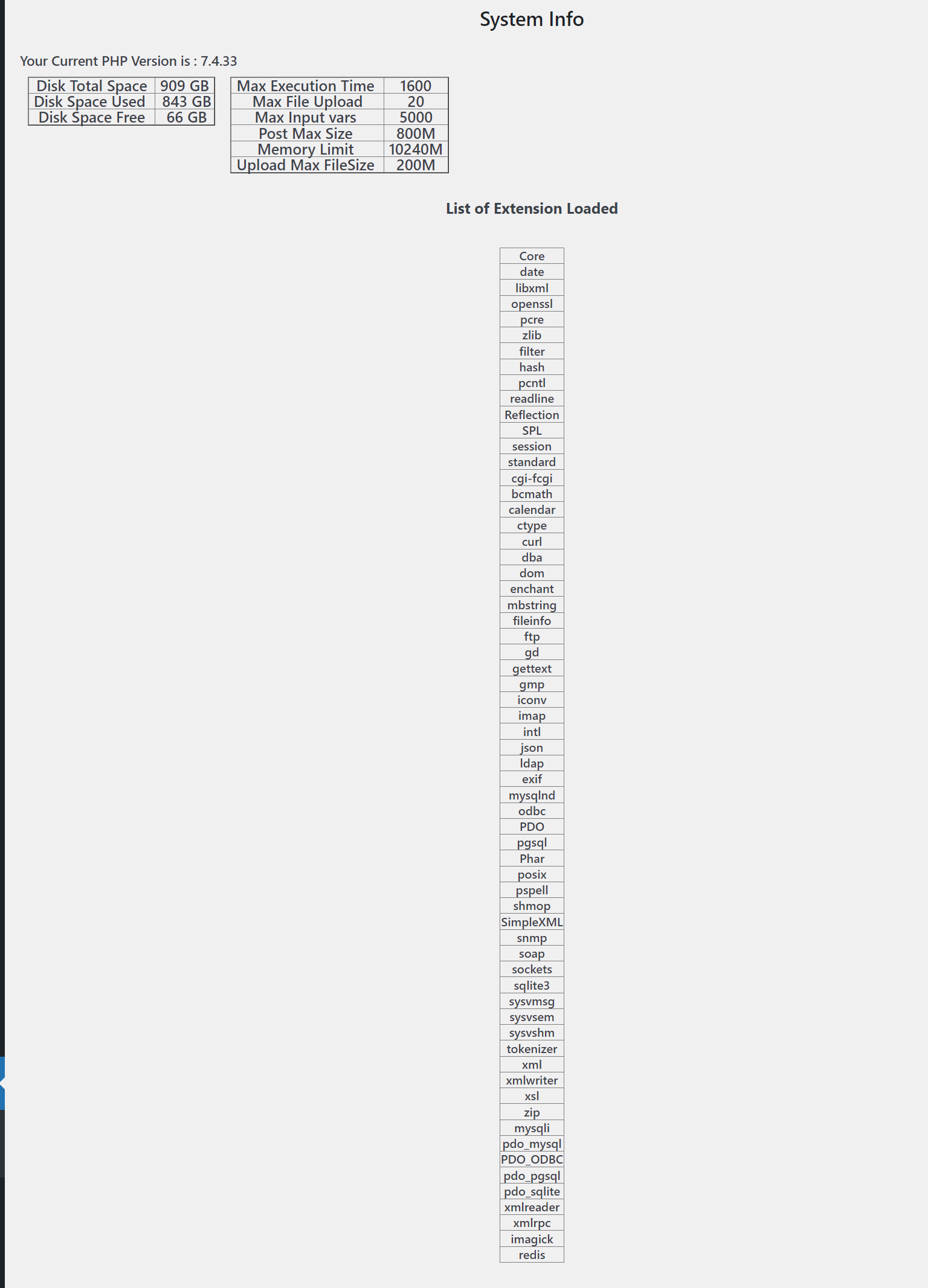
Shows System Info
安裝
- Upload
plugin-compatibility-checkerto the/wp-content/plugins/directory - Activate the plugin through the ‘Plugins’ menu in WordPress
評價

2023年4月16日
The plugin is a great tool I use for new clients to get an overview of versions of the installed plugins, supported WordPress versions and PHP versions before upgrading a site. Saves me time. Thanks! Easy worth 5-stars.

2022年1月7日
Hello,
I like the concept of using a specific page and would use your plugin if it can also display PHP version supported by the plugins.
It is an info you can find for individual plugin in WordPress.org repository but would be nice to have that for all plugins at once !
Eric Collart

2021年6月9日
easy to use. user friendly.

2021年5月1日
A all-around view that shows basic plugins version infos and compatibility, but needs some filters and sorting functions, as the possibility to select only active/disabled plugins and sorting & filtering for all columns.
Anyway, nice job!! Waiting for updates 😉
