
這個外掛並未在最新的 3 個 WordPress 主要版本上進行測試。開發者可能不再對這個外掛進行維護或提供技術支援,並可能會與更新版本的 WordPress 產生使用上的相容性問題。

Pin Generator

描述

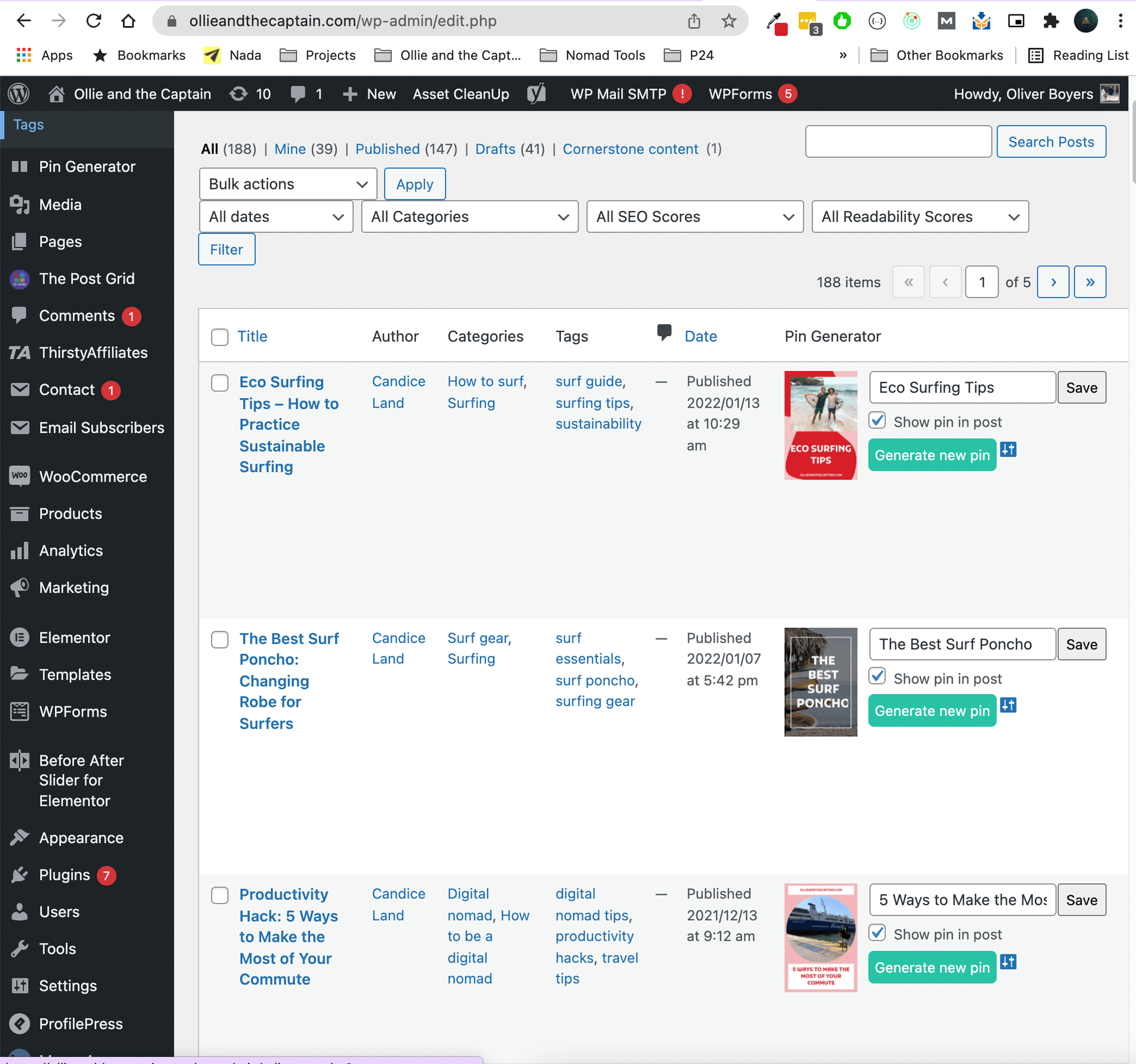
Generate beautiful Pinterest pins for your blog posts with one click.

The pin is then automatically added to the end of your blog post.

Your website visitors can now share this awesome pin to their Pinterest Boards and drive more traffic to your website.

Create your own templates at https://pingenerator.com and use them in the plugin.

螢幕截圖
安裝

Upload the plugin to your WordPress site.

In the plugin settings, activate the plugin with a FREE access key from your Pin Generator profile here:

https://pingenerator.com/profile

Set your pin color and templates from the plugin settings page.

Go to your posts page and start generating pins.

常見問題

Please view all FAQ’s on our website here

評價

2024年5月27日 3 replies
My Pinterest account was deactivated because of using Pin Generator After using Pin Generator for about 6 weeks my account got deactivated by Pinterest. My max. scheduled pins were 10-12 pins/day, increasing slowly from 4-6 pins/day for more than 3 weeks. Before using Pin Generator I scheduled 3 manually created pins/day for more than 8 months. Below is a copy of the email I received from Pinterest: “Hi there, We suspended your account because we noticed some activity that appears to violate our policies against spam. Please review the Community Guidelines for more detailed information on what Pinterest considers spam. If you believe this is an error, please click this link to let us know. Note that the link above will expire after seven days. If you have further questions, you can contact us through our Help Center. The Pinterest Team “
閱讀全部1個評價

貢獻者及開發者

“Pin Generator” 是一個開源的軟體。以下的人對這個外掛作出了貢獻。

貢獻者

將 Pin Generator 外掛本地化為台灣繁體中文版。

對開發相關資訊感興趣?

任何人均可瀏覽程式碼、查看 SVN 存放庫,或透過 RSS 訂閱開發記錄

修改日誌

2.0.1

Tested up to WordPress 6.8.0
Security improvements:
Added nonce verification for all AJAX requests
Improved input sanitization and validation
Added proper WordPress core loading checks

Code quality improvements:
Consistent use of version numbers
Better error handling
Improved response formats
Updated to use modern WordPress practices

Compatibility improvements:
All WordPress functions are properly used
Scripts are properly enqueued
AJAX endpoints follow WordPress best practices

2.0.0

Tested up to WordPress 6.4.2
Added custom templates
Fixed apostrophe’s in titles bug

1.0.1

Added all inital security fixes

1.0

Version 1 – initial release